
Photo Printing Quality Guide: Choosing the Right Photo for Personalised Gifts
The single biggest reason a personalised photo gift disappoints is photo selection — not the printer, not the product, the source file. A perfect photo on a frame looks like a frame; a borderline photo on the same frame looks pixelated and slightly sad. This guide walks through what makes a photo printable, how to tell before you order, and what to do when the only photo you have is the one you have.
The Resolution Rule (DPI for Different Sizes)
Print quality is measured in DPI (dots per inch). For personalised gifts in the UAE market, the practical thresholds are:
- 300 DPI — premium quality. What professional photo books target. Use this for wall art, large prints, or anything that will be examined closely.
- 200 DPI — solid quality. Indistinguishable from 300 at normal viewing distance. Most personalised gifts hit this comfortably.
- 150 DPI — acceptable for items viewed at arm’s length or further (mugs, phone cases). Below this, pixelation becomes visible.
- Under 100 DPI — visible pixelation. Don’t print at this resolution unless the photo is meant to look retro or low-fi.
Practical translation: a typical iPhone 13+ photo at 4032×3024 pixels prints at 300 DPI on a 13.4×10.1 inch surface — i.e. anything up to a small framed photo. The same file on a 50×50cm cushion drops to ~200 DPI, still excellent. On a 70×100cm canvas it drops to ~150 DPI — passable. On a 100×140cm wall canvas, it falls below 100 DPI and starts to soften.
How to Tell If Your Phone Photo Will Print Well
Open the Photo at 100% on Your Computer
Phone screens hide pixelation because they’re small and bright. On a desktop monitor at 100% zoom, you see the truth. If it looks soft or grainy at 100%, it won’t print better than that.
Check the Source
If the photo came from WhatsApp, Instagram, Facebook, or any social platform, it’s been compressed — usually multiple times. The version on your phone’s gallery (taken with the camera) is always higher quality than the version someone sent you on WhatsApp. For best print results, request the original from whoever took it.
Check the Lighting in the Photo
Resolution isn’t everything. A high-resolution photo taken in dim light still prints muddy. A lower-resolution photo taken in bright natural light prints brilliantly. If you have a choice, prefer well-lit over higher-megapixel.
Best Photos for Specific Gift Surfaces
Photo Frames (UV-Printed)
Personalised photo frames are forgiving — sharp insertion + UV print + glass protection. A modern phone photo (4000+ pixels on the long edge) handles 6×8 to 10×12 inch frames beautifully. Vertical photos work for portrait frames, horizontal for landscape — don’t force one into the other.
Photo Mugs
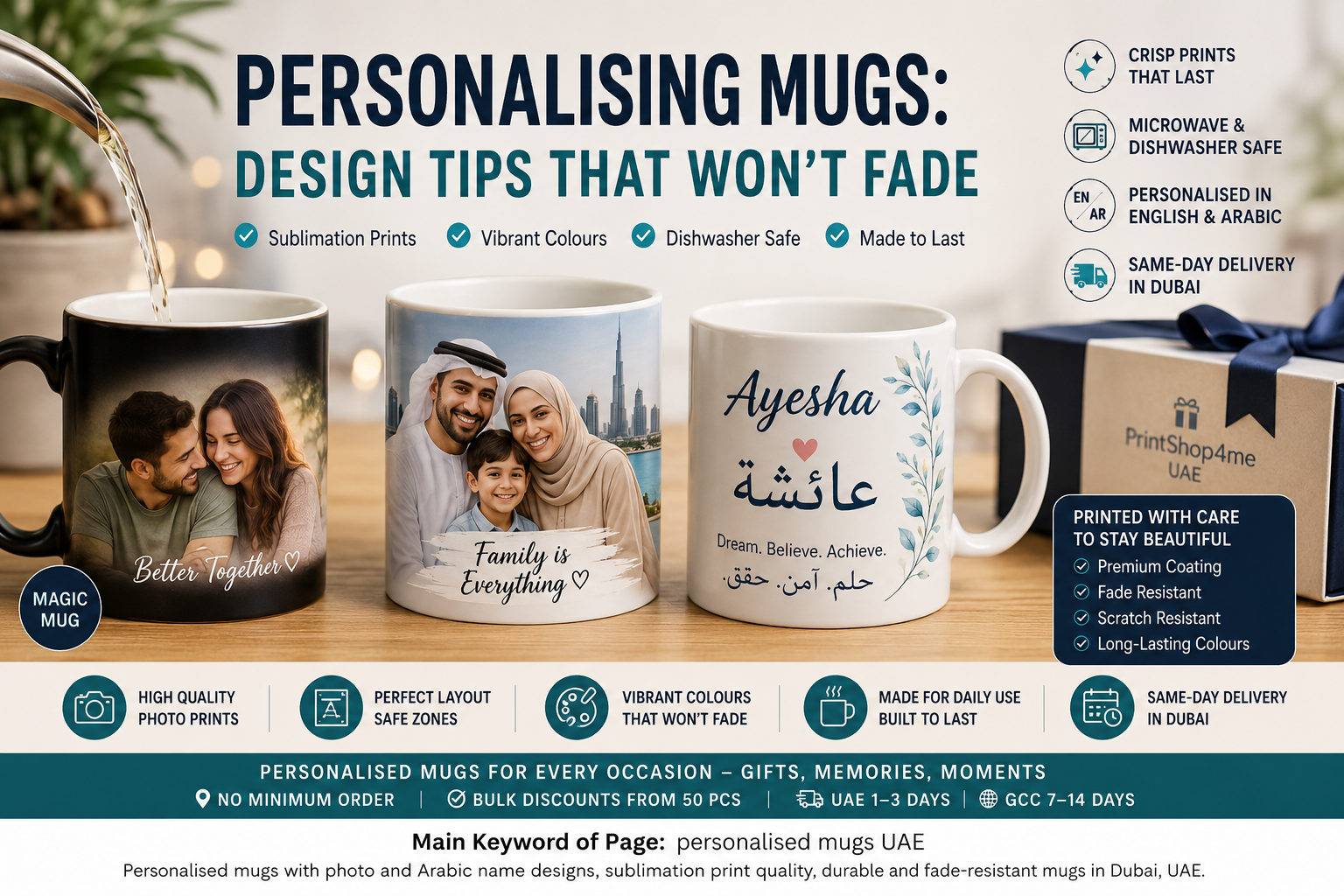
Photo mug printing works on a curved surface, so the print area is smaller than people expect — about 20cm × 9cm wraps. A medium-resolution phone photo is more than enough. Avoid photos with critical detail at the very edges; the wrap can clip them.
Cushions (Large Surfaces)
Personalised cushions (typically 40×40cm or 50×50cm) demand more from the source file than mugs because the print area is much bigger. A modern phone photo at 4000×3000 pixels still hits ~200 DPI on a 50cm cushion — acceptable. Below 2500×2000 pixels, expect visible softness.
Phone Cases (Small Surfaces, High Detail)
UV-printed phone cases reproduce fine detail very well, but the small surface area means a low-res photo gets scaled down rather than up — and looks fine. The trap here is the opposite: extremely high-detail photos can lose subtleties when miniaturised. A simple, high-contrast composition prints better than a busy one.
Lighting, Cropping, and Background Tips
Lighting
Natural daylight, indirect, soft shadows — best. Bright midday direct sun creates harsh shadows on faces. Artificial indoor light produces colour casts that the print will faithfully reproduce. If you’re choosing between two photos, the well-lit one almost always wins.
Cropping
Choose a photo whose composition matches the gift’s aspect ratio. A 4:3 photo on a square cushion will be cropped to fit — losing top, bottom, or sides. A 1:1 (square) photo is the safest for cushions and mugs. Portrait orientation works for tall frames; landscape for wide frames.
Backgrounds
Cluttered backgrounds compete with the subject. If the photo’s appeal is the people, the background should be neutral. We can professionally remove and replace backgrounds for an additional fee — useful for old family photos with distracting environments.
Common Photo Issues We See and How to Fix Them
Across thousands of personalised photo orders, a few problems show up repeatedly. Each is fixable if caught before printing:
Issue 1: WhatsApp Compression
Symptom: photo looks fine on phone, soft on print. Fix: ask the original photographer for the camera-roll version, not the WhatsApp version.
Issue 2: Old Phone Photo Stretched to Cushion Size
Symptom: pixelation visible at arm’s length. Fix: drop print size (smaller frame instead of cushion), or pick a more recent photo, or apply gentle background blur to mask the soft areas.
Issue 3: Mixed Lighting (Half Shadow, Half Bright)
Symptom: faces look uneven; one side blown out, other side dark. Fix: choose a different photo, or accept that this is the photo’s nature and the print will faithfully reproduce it.
Issue 4: Subject in the Wrong Crop Position
Symptom: the gift’s aspect ratio cuts off the subject’s head or feet. Fix: pick a photo whose composition matches the gift’s shape, or ask for a custom border that adds white space.
Issue 5: Wrong Colour Profile
Symptom: print looks more saturated or duller than the screen version. Fix: phone screens are often more vivid than print can reproduce. Mild differences are unavoidable; severe differences usually mean the photo was over-edited in an app.
When to Send Multiple Photos
Some gift formats use multiple photos:
- Photo collage cushion: 3–9 photos arranged in a grid. Each photo can be smaller resolution than a single-photo cushion because each occupies a smaller area.
- Photo book / calendar: 12+ photos, one per month or per page. Resolution requirements are per-photo, similar to a small frame.
- Photo album mug: 4–6 small photos arranged around the mug. Excellent for “year in review” gifts.
Quick Recommendations
- For a small frame (6×8 inch) or photo mug: Any modern phone photo from the gallery (not WhatsApp). Done.
- For a 40×40cm cushion: Original phone photo (not screenshot, not social-media re-upload), 3000+ pixels on the long edge.
- For a 70×100cm canvas: DSLR or pro phone photo, 4500+ pixels on the long edge, well-lit.
- For multiple photos (collage): 6–9 medium-resolution photos. Easier than one perfect one.
- If the only photo is low-res: Choose a smaller print size — a small frame instead of a cushion. The same file works.
Order Yours Today
High-quality personalised photo gifts across UAE — frames, mugs, cushions, phone cases.
We review every photo for print suitability before production and flag low-resolution files. No minimum order. Same-day Dubai for frames/cushions before 12pm cut-off.
Same-day Dubai delivery for orders placed before 11am (12pm for UV-printed items). UAE-wide delivery 1–3 business days. GCC cross-border 7–14 days. Order via WhatsApp or our online form.
Frequently Asked Questions About Photo Quality Gift Printing
What resolution does a photo need to be for a personalised gift?
200 DPI at the print size is excellent; 150 DPI is acceptable for items viewed at arm’s length (mugs, phone cases). For most modern phone photos, this means anything up to a small framed photo prints at premium quality without effort.
Will a WhatsApp photo print well?
Usually no. WhatsApp compresses images significantly. The same photo from the original camera roll will be 3–5× higher resolution than the WhatsApp version. Always send the original.
Can a low-resolution photo be enlarged?
Not without quality loss. We can apply gentle sharpening, but adding detail that isn’t in the source file isn’t possible. The better option is to choose a smaller print size where the existing resolution still works.
Do you accept screenshot photos?
Technically yes, but the result is rarely satisfying. Screenshots capture the screen’s resolution, not the photo’s original. Always request the original file from the photographer or the original camera.
How quickly can a personalised photo gift be printed?
Same-day for UV-printed frames and cushions in Dubai if ordered before 12pm. UAE-wide 1–3 business days. Cross-border GCC 7–14 days.
Can you remove the background from a photo before printing?
Yes. Background removal and replacement is an add-on service — useful for old family photos with distracting environments. Adds AED 39–79 depending on complexity.
How do I send a photo for printing?
Order through the website or send via WhatsApp. Files up to 20MB are fine. Send the original — JPG or HEIC from the camera roll, not a re-uploaded version.
What if I have multiple photos that are all low-res?
A photo collage is often the answer. 6–9 medium-res photos arranged on a single cushion or canvas can look better than one high-res photo, and the lower individual resolutions are absorbed by the smaller per-photo area.
Can you print black-and-white photos?
Yes, all our printing supports B&W. For old photos, B&W often hides resolution issues that colour exposes.